
Download eCover – DVD, Game, Audio Cover Printing Tool
Overview
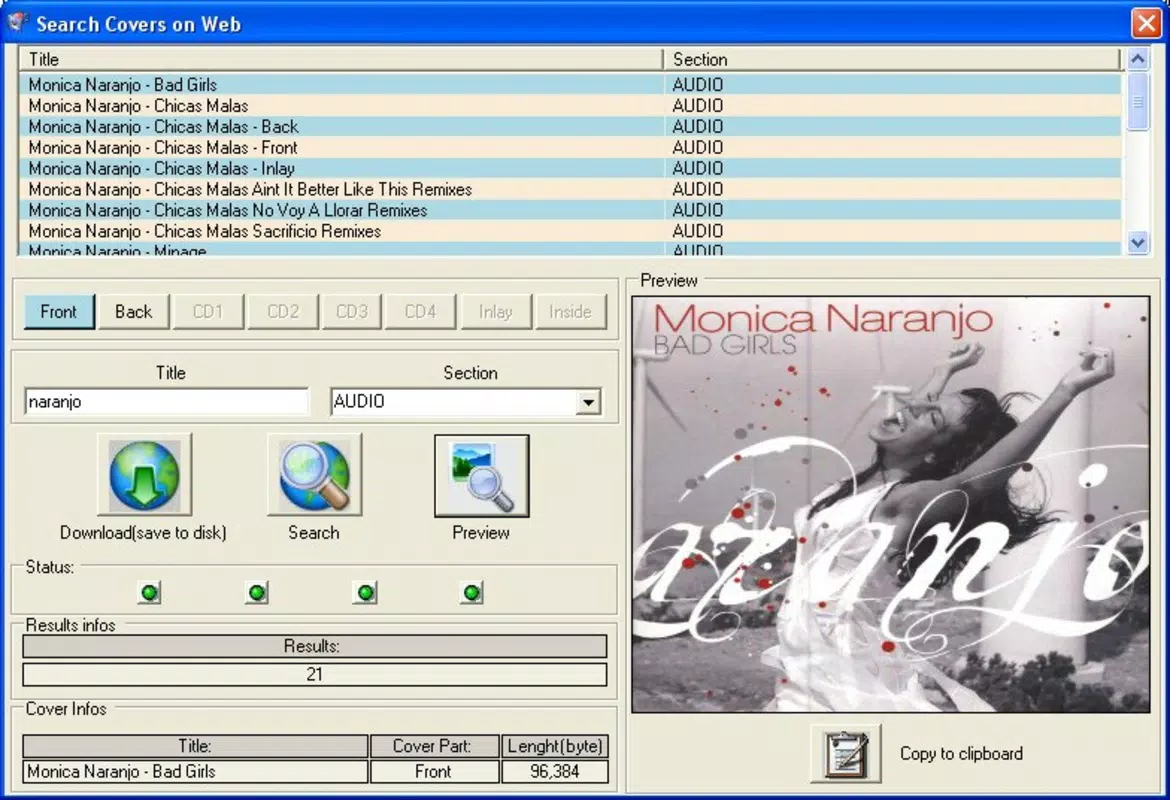
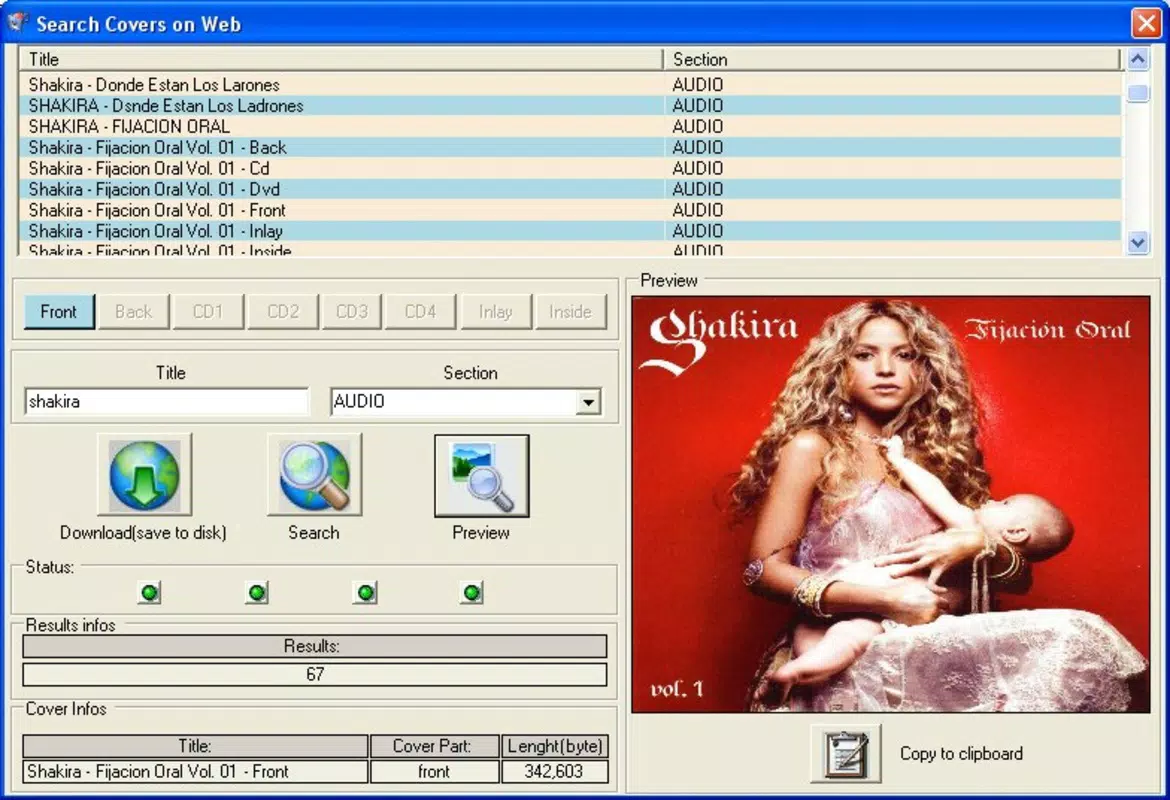
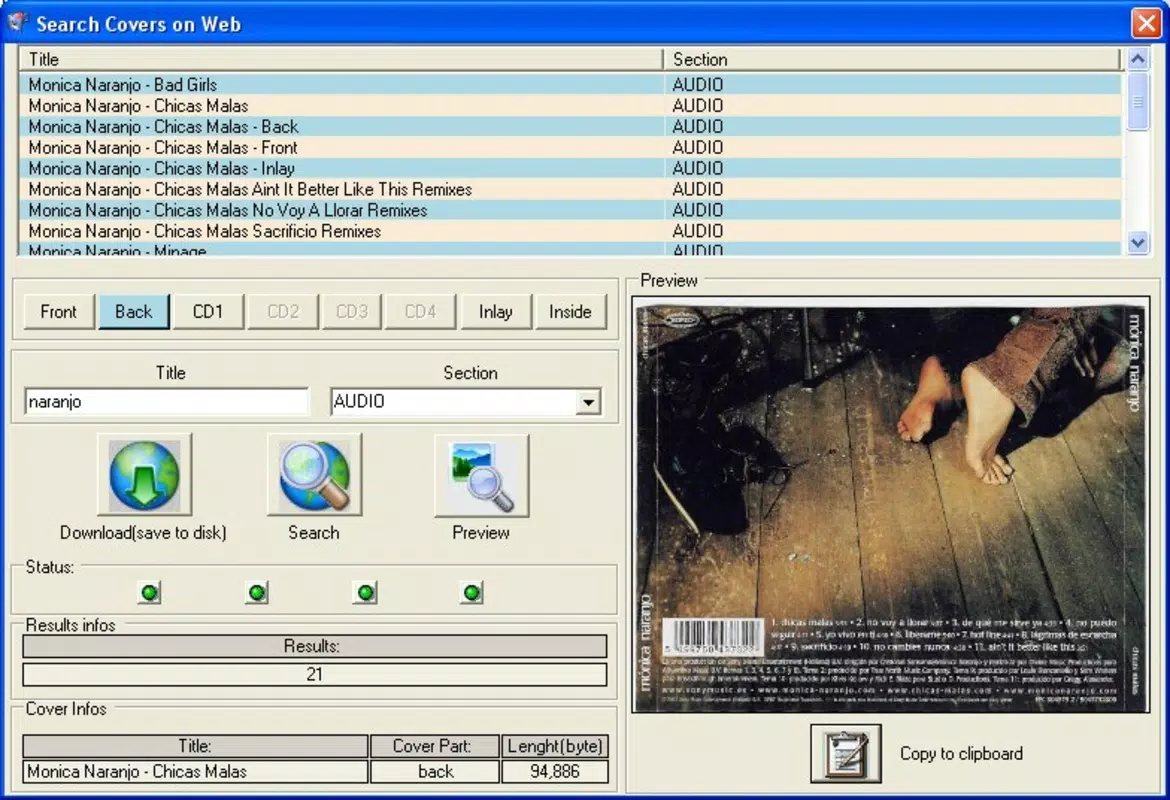
eCover is a specialized mobile application designed to assist users in searching for, customizing, and printing covers for various media formats. Its primary purpose is to simplify the organization and presentation of physical media collections, including DVDs, audio CDs, video games, and console-specific cases. The app targets collectors, retro gamers, and media enthusiasts who value aesthetic consistency and easy access to accurate cover art. By streamlining the cover creation and printing process, eCover helps users maintain professional-looking collections without requiring advanced design skills.
The application supports multiple media formats such as DVD, Audio, PS2, PSX, and GameCube, enabling broad compatibility across different types of physical media. This versatility makes it a valuable tool within the digital preservation and media management ecosystem. Users can quickly locate cover art, adjust dimensions, and preview prints before committing to output. While the developer’s background is not publicly detailed, the app’s long-standing presence—first released in 2005—suggests a focus on niche utility rather than mass-market appeal. Its enduring relevance underscores its effectiveness in solving a specific but persistent problem: the difficulty of sourcing and printing accurate, properly sized covers for older or rare media formats.
Key Features & Functionality
- User-Friendly Interface: The app features an intuitive layout that guides users through each step of the cover search and print process. Even those unfamiliar with digital tools can navigate the app without difficulty, making it accessible to beginners and experienced users alike.
- Wide Format Support: eCover supports a diverse range of media types, including DVD, Audio, PS2, PSX, and GameCube. This extensive compatibility ensures users can manage collections across multiple platforms and eras.
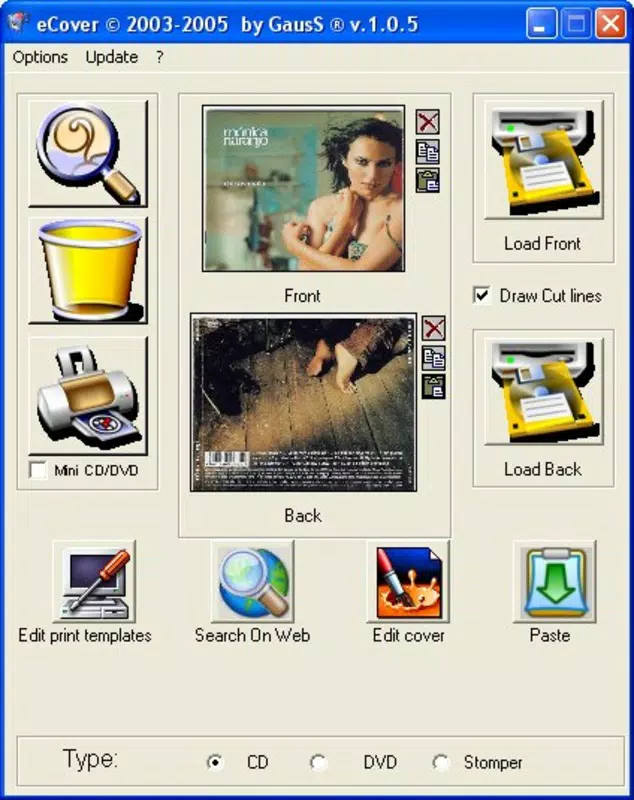
- Automatic Resizing: Covers are automatically adjusted to fit standard and non-standard dimensions such as CD, DVD, Mini CD/DVD, and custom sizes. This reduces manual effort and ensures print accuracy.
- Preview Before Printing: A built-in preview function allows users to visualize how the final cover will appear before printing. This helps prevent errors, wasted paper, and incorrect outputs.
- Custom Cover Creation: Users can define custom cover dimensions to match unique or rare cases. This feature is especially useful for collectors with non-standard or handmade media storage solutions.
For example, a retro gaming enthusiast can use eCover to locate a GameCube cover, resize it to fit their original case, preview the layout, and print it with confidence. Similarly, a music archivist might use the app to generate high-quality audio CD covers for a vintage vinyl-to-CD conversion project. These practical applications highlight eCover’s role as a functional utility tool for preserving and organizing physical media collections.
Interface, UX & Performance
eCover presents a clean, minimal interface focused on functionality rather than visual flair. The layout emphasizes clarity and direct access to core features, with navigation structured around search, preview, and print workflows. Buttons and menus are logically arranged, reducing the need for trial-and-error exploration. The app maintains consistent visual hierarchy, which contributes to a smooth user experience.
Navigation is linear and predictable—users typically start by selecting a media format, searching for a title, adjusting dimensions if needed, viewing the preview, and initiating print. This streamlined flow minimizes cognitive load and supports efficient task completion. While the developer did not list formal performance metrics, the app’s design suggests optimized responsiveness, particularly for standard-resolution printing tasks. It is likely to perform reliably on mid-range and higher-end devices, though specific performance benchmarks were not disclosed.
Stability appears to be a key strength, given the app’s long-term availability since 2005. Although the developer did not specify compatibility details for different device categories, the app’s continued use implies robustness across various Android and iOS configurations. Users should expect consistent behavior during typical use, though real-world performance may vary depending on device capabilities and printer integration.
Platform Compatibility & Technical Requirements
eCover is available on both Android and iOS platforms, making it accessible to a broad range of smartphone users. The latest version of the app is currently not specified, nor are the exact minimum operating system requirements. The file size of the application is also not disclosed by the developer.
Although the developer did not specify minimum OS requirements, the app’s long-standing release date suggests it may support older versions of both Android and iOS. However, users should be cautious when installing on modern devices, as compatibility with current OS versions cannot be guaranteed without official confirmation. The absence of detailed technical specifications means users must rely on general device compatibility and may need to test installation on their specific hardware.
Pros and Cons
Pros
- Intuitive interface suitable for users of all skill levels
- Supports a wide variety of media formats including retro consoles
- Automatic resizing ensures accurate print dimensions
- Preview function prevents printing errors and waste
- Custom cover creation allows for unique or non-standard cases
Cons
- Developer did not provide detailed technical specifications
- Minimum OS requirements were not listed
- File size and version information are unavailable
- Limited visual customization options beyond size and preview
- Compatibility with modern devices is uncertain
FAQ
Is eCover available for both Android and iOS?
Yes, eCover is designed for both Android and iOS platforms. However, specific compatibility details for current device models were not provided by the developer.
Can I use eCover to print covers for old game consoles?
Yes, the app supports multiple formats including PS2, PSX, and GameCube, making it suitable for printing covers for retro gaming collections.
Does eCover require an internet connection?
The app likely requires an internet connection to search for cover art and download metadata. However, the developer did not specify connectivity requirements.
How do I ensure my printed cover fits my case?
eCover includes automatic resizing and a preview feature, allowing users to adjust and verify cover dimensions before printing.
Is eCover free to download and use?
The app’s pricing model is not publicly disclosed. Users should check the app store listing for current pricing and availability.
Final Thoughts
eCover stands out as a focused, practical solution for media collectors who value organization and presentation. Its combination of format diversity, automatic resizing, and preview functionality makes it a reliable tool for anyone managing physical media. While the lack of detailed technical information limits full transparency, the app’s proven track record since 2005 speaks to its durability and utility.
It is particularly well-suited for retro gamers, collectors of vintage DVDs and audio CDs, and digital archivists. The ability to create custom covers adds a personal touch, enhancing the overall value of the collection. For users seeking a secure, efficient way to print accurate media covers, eCover delivers a strong performance within its niche.
Download eCover now


